
It's day three. The proposal went out Tuesday, the buyer said they'd “review it with the team,” and there has been nothing since. The question every rep asks at this point is the same: did they even open it? There are four ways to answer that, they give you very different levels of certainty, and two of them lie to you regularly.
Method 1: email open tracking
HubSpot Sales, Outreach, Mailtrack, Gmail extensions: they all work the same way, by embedding a one-pixel image in the email that loads when the message is opened. It's free or nearly so, and it's already turned on in most sales stacks.
- What it tells you: the email was rendered, roughly when, and roughly how many times.
- What it doesn't: whether the attachment was opened. An email open with a PDF attached tells you nothing about the PDF.
- Where it lies: Apple Mail Privacy Protection pre-loads every pixel, so every iPhone user looks like they opened your email the second it arrived. Corporate security gateways scan links and images and register as opens. Image blocking in Outlook does the reverse: real opens that never register. Treat email opens as weak evidence in both directions.
Method 2: a tracked PDF
Instead of attaching the file, you host it (DocSend, a document-sharing tool, or your proposal platform's PDF viewer) and send a link to it. The link is what's tracked. Some tools can also report page-level views inside the hosted PDF.
- What it tells you: the document itself was opened, when, how many times, and sometimes which pages.
- What it doesn't: anything, the moment the buyer downloads it. A downloaded PDF is an attachment again, and it goes dark. It also can't tell you about forwards unless the viewer is gated behind an email prompt.
- Where it lies: less often than pixels. The main failure is the gate: require an email address to view and a meaningful share of readers bounce, which looks like “never opened.”
Method 3: a trackable proposal link
The proposal is a web page, not a file. Proposal software (Veew, PandaDoc, Qwilr, Proposify) delivers proposals this way, and the tracking is a side effect of the format: a web page's traffic is observable the way any web page's is.
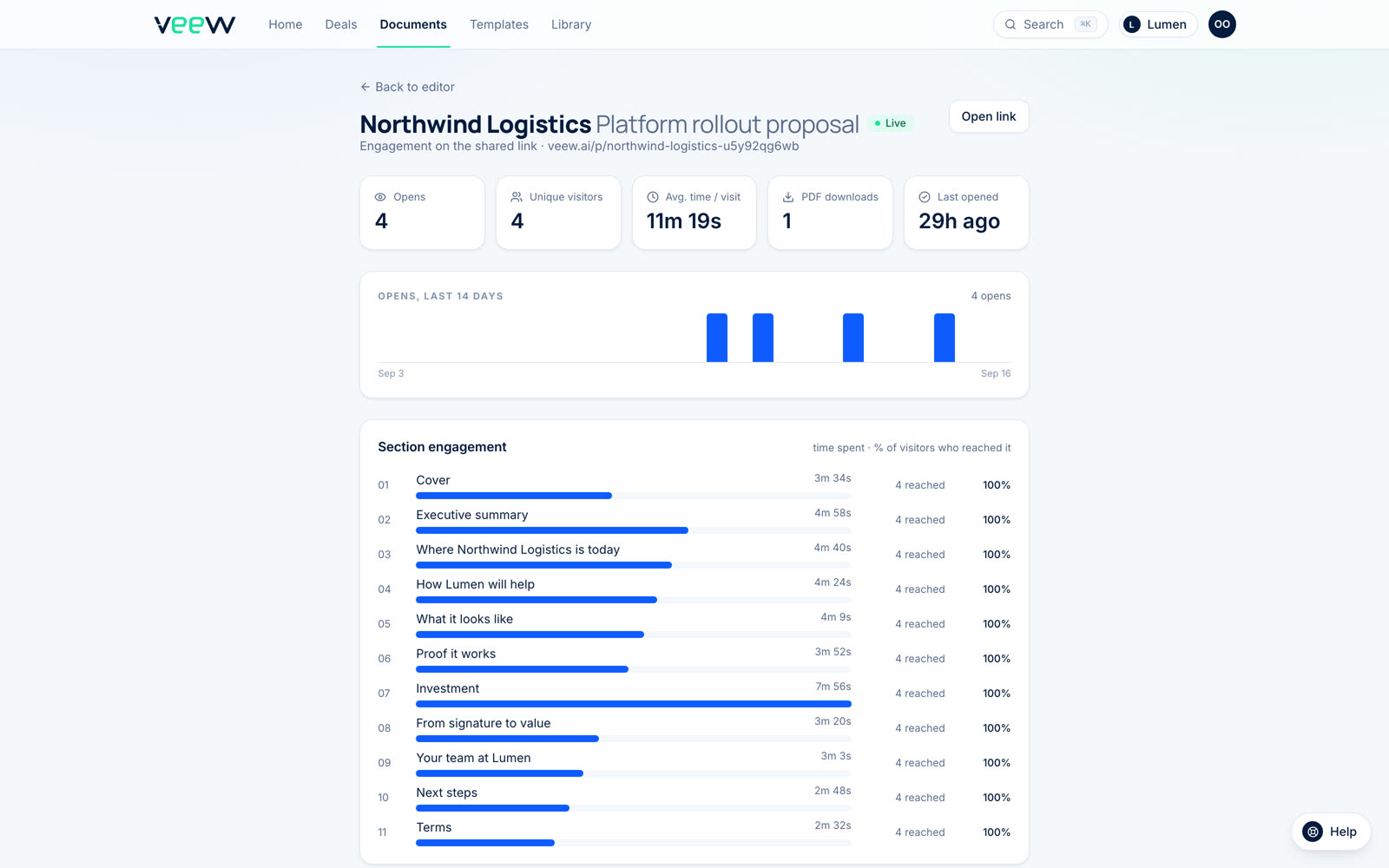
- What it tells you: every open, the time spent, the time per section, whether the link was shared onward and opened by new people, and return visits. With individual links per contact, who opened it, by name, without asking them to log in.
- What it doesn't: what happens if the buyer prints the attached PDF and reads that instead. Which is why you attach the PDF as the secondary copy, not the primary one.
- Where it lies: rarely. Link scanners can register a one-second visit; a tab left open inflates dwell time. Both are easy to spot by pattern. Neither invents a six-minute read of the pricing section.
We go through what to do with each of those signals in how to track proposal engagement.
Method 4: ask
Underrated. “Did the proposal come through OK?” is a legitimate question three days after sending, and the answer, including the non-answer, tells you a lot. It works best combined with one of the methods above: if tracking shows zero opens and the buyer says “yes, looks great,” you've learned something important about the deal.
“Opened” is not “read”
Knowing the proposal was opened is the start, not the answer. Three things separate a read from a click:
- Time. Under a minute is a glance. Three to eight minutes is a read for a typical proposal. More than that across multiple sessions is a buyer preparing to defend it internally.
- Coverage. Did they reach pricing? Did they reach the last section? A read that stops at the executive summary is a buyer who decided the summary was enough, for better or worse.
- Return visits. One open is curiosity. A second open a day later, usually right before an internal meeting, is a deal being worked.
Only the third method gives you all three. That's the honest reason link-based proposals have replaced PDFs as the default in proposal software: not because links are prettier, but because “was it opened?” is the wrong question, and links answer the right one.
What to do the moment you see the open
The single most valuable window in the whole process is the twenty minutes after a real open. The buyer is looking at your proposal right now. A short note or a call in that window gets a very different reception than the same note on day seven. This is why the notification matters as much as the data: an open you learn about in a weekly report is an open you missed. Push it to Slack, or wherever you'll actually see it, and keep the message to two lines.
And if it's day five with no open at all, don't assume the proposal is being ignored. The email is. Resend it with a different subject line, or ask your champion to forward it. The proposal can't work until somebody opens it, and that part is still on you.