
If your team sells on Salesforce, the opportunity already holds most of what a proposal needs: the account, the contact roles, the amount, the close date, and whatever custom fields your admin added for discovery. The question is how much of it a rep has to re-type to get a document out the door. There are three real ways to create a proposal from a Salesforce opportunity, and they produce very different documents from the same record.
Option 1: Salesforce Quotes, or CPQ (native)
Salesforce has two native answers, and they are often confused. They are different products with different costs.
Salesforce Quotes
Quotes is the standard feature that ships with Sales Cloud on the Professional, Enterprise, Unlimited, and Performance editions. An admin switches it on in Quote Settings, and from then on a rep can create a quote from the opportunity: the products on the opportunity copy across as quote line items, one quote at a time can sync back to the opportunity, and a quote template turns it into a PDF the rep can email from the record. If you're on one of the entry-level bundles, check your edition's feature list before planning around it.
- What you get: a clean price sheet generated from the opportunity's products and price book, with no extra license.
- Where it shines: renewals, add-ons, and transactional deals where confirming the number is the whole job.
- Where it stops: a quote template is a layout for line items, not a proposal. There's no narrative, no case study, and very little design, and e-signature means adding another app.
Salesforce CPQ and Revenue Cloud
CPQ is the heavyweight: product bundles, configuration rules, discount schedules, approval chains, and richer quote document templates. It's separately licensed and usually rolled out as an implementation project with a partner. Worth knowing in 2026: Salesforce has stopped selling the classic Salesforce CPQ package to new customers and points them to Revenue Cloud instead. Existing CPQ customers can keep renewing and get support, but new development goes into Revenue Cloud.
- What you get: pricing you can trust on complex catalogs, with discounting governed by approvals.
- Where it shines: many SKUs, bundles, usage tiers, and a finance team that needs every discount accounted for.
- Where it stops: CPQ solves what can we sell, at what price. It doesn't write the part of the document that explains why this buyer should buy.
Option 2: Proposal software with a Salesforce integration
PandaDoc, Proposify, and Qwilr all integrate with Salesforce, typically through a package installed from AppExchange. A rep creates a document from the opportunity, and merge fields fill in the account name, contact, amount, and often the product line items. Most can push status back: viewed, accepted, signed. Check which of each vendor's plans includes the Salesforce integration, because it's often reserved for the upper tiers.
- What you get: a real proposal document (templates, content library, e-signature, tracking) with the opportunity's fields injected.
- Where it shines: teams with an established template and an approval workflow, where the proposal is 90% standard and 10% merge fields.
- Where it stops: merge fields personalize the labels, not the story. The executive summary, the problem statement, the choice of case study, the parts that decide whether the proposal lands, are still typed by hand. Everything the buyer said on three discovery calls never reaches the document.
We've written straight comparisons of each: Veew vs PandaDoc, Veew vs Proposify, and Veew vs Qwilr.
Option 3: Deal-aware AI
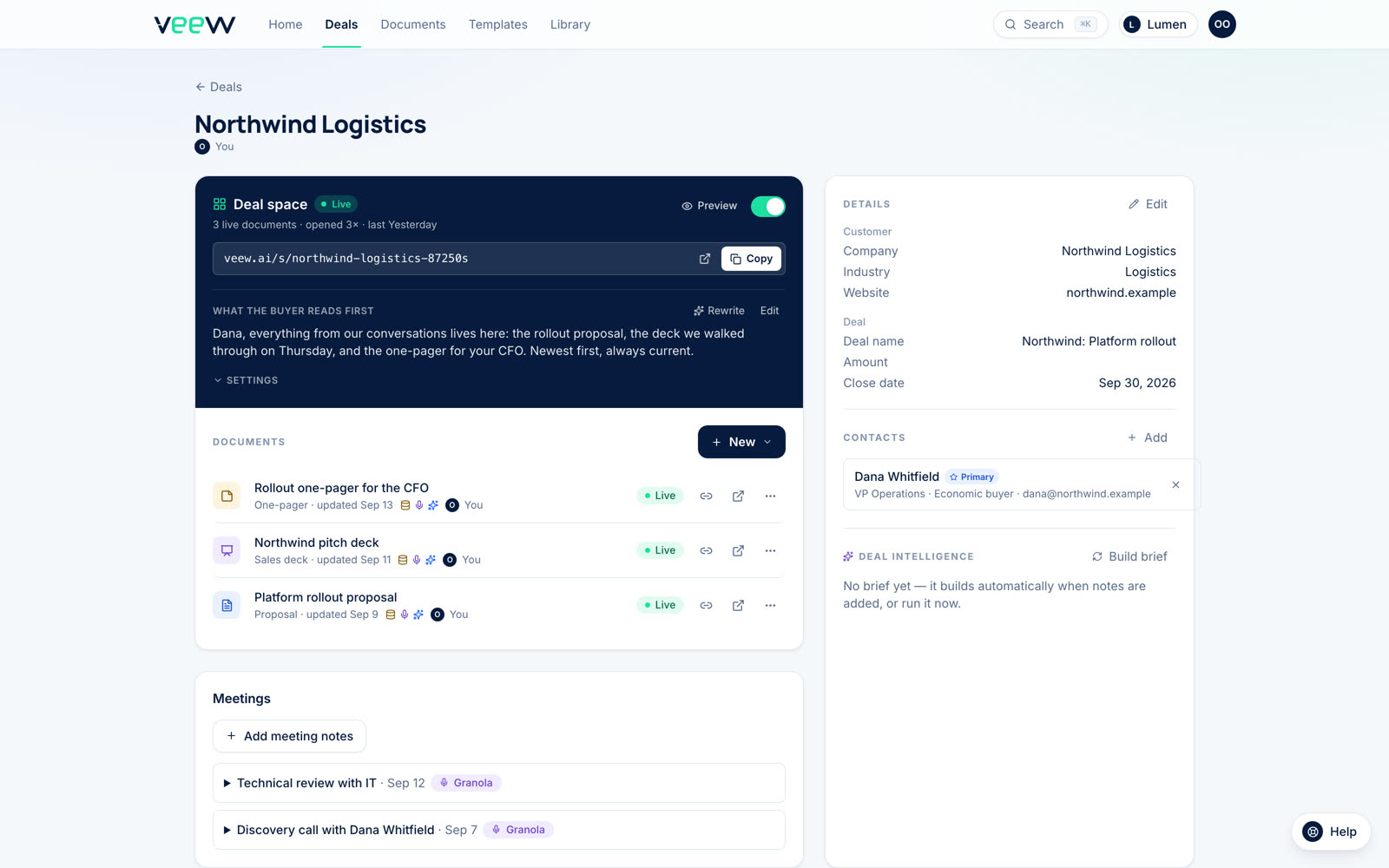
The newest approach (and the one we build, so calibrate accordingly) treats the opportunity as the brief, not just a source of merge fields. Veew connects to Salesforce as a connected app: you sign in with OAuth, nothing is installed in your org, and an admin can revoke it from Setup. You import an opportunity, and the account, the contact roles, and any standard or custom fields you map on Opportunity, Account, or Contact come across. Pair it with a notetaker such as Granola or Fathom, or paste your notes in, and the AI drafts the proposal for that prospect: the summary from their goals, the challenges from what they said on the call, the case study best matched from your approved library, pricing from your catalog. The output is a designed web proposal with a matching PDF.
On the Starter and Team plans, Veew writes back in two ways: a completed task on the opportunity when a document is sent, accepted, or commented on, and four Veew custom fields (latest document, status, last viewed, total views) you can use in list views, reports, and flows. It never touches Amount, Stage, Close Date, or your contacts. It needs an edition with API access, which means Enterprise, Unlimited, Performance, Developer, or Professional with the API add-on.
- What you get: a prospect-specific proposal in minutes, with narrative, proof, pricing, and design together.
- Where it shines: competitive and considered deals, where “they clearly listened” is the differentiator.
- Where it stops: Veew isn't a CPQ and doesn't do e-signature. Its Accept step captures the buyer's yes and hands off to your e-sign tool, and complex price governance stays in Salesforce.
What to check before you choose
- Your edition. Quotes, AppExchange packages, and API-based apps each have edition requirements. Professional Edition without API access rules out a lot.
- Package or connected app. A managed package lives in your org and goes through your release process. A connected app is an OAuth sign-in your admin can revoke in one click. Neither is wrong; know which you're approving.
- What's written back. An activity on the timeline is the minimum. Fields you can report and build flows on are the useful version.
- Where pricing lives. If your products and price books are in Salesforce, ask whether the tool reads them or keeps its own catalog. Two catalogs drift.
- The PDF. Procurement will ask for a file. Does it match the web version?
Which one, when
- Transactional deal or renewal, price is the only question → Salesforce Quotes. Native, already paid for.
- Complex catalog, bundles, discount approvals → CPQ or Revenue Cloud, with a document tool on top if the quote has to sell.
- Standardized offering, approval process, e-sign required in-tool → traditional proposal software with the Salesforce integration.
- Considered deal where the proposal has to sell → deal-aware AI. The narrative is the product, and it's the part the other approaches leave to the rep at 6 PM.
These aren't exclusive. Plenty of Salesforce teams keep Quotes or CPQ for the price, and use AI sales proposal software for the document that has to win the committee over. The mistake is sending a price sheet to a buying group that's still deciding whether, not how much.
If you sell on HubSpot too, the same three lanes apply: see how to create proposals from HubSpot deals. For getting what was said on the call into the document, read from call notes to proposal. And if you want to try the third lane on one of your own opportunities, the Salesforce setup guide walks through connecting, mapping fields, and exactly what Veew reads and writes.