
A lot of sales proposals now start in Claude or ChatGPT. A rep pastes in the discovery call, asks for an executive summary, and gets something usable in seconds. Then the real work starts: copying it into a template, fixing the pricing, deleting the case study the AI made up, and making it look like it came from your company.
MCP changes that. With an MCP connector, the assistant stops being a place you copy text out of and becomes something that can work inside your proposal software. This guide covers what MCP is, the three ways to get a sales proposal out of an AI assistant today, how to set one up step by step, prompts that work, and what to check before you connect anything to your sales stack.
What is MCP, in one paragraph?
MCP (Model Context Protocol) is an open standard for connecting AI assistants to other software. A tool publishes an MCP server: a URL that describes what the assistant can do there (“list templates”, “create a proposal”) and does it when asked. Claude, ChatGPT, Cursor, and Claude Code can all add remote MCP servers as connectors. You add the URL once, sign in to the tool, and from then on you can ask the assistant to use it in plain language. For sales, that means the assistant that already holds your call notes can hand them straight to the system that writes, designs, and tracks the proposal.
Three ways to get a proposal out of an AI assistant
1. Prompt, copy, paste
The default. You give the assistant the context, it writes the sections, you move them into a document. It works, and good prompts make it work better; we collected the ones that do in ChatGPT prompts for sales proposals. The costs are the formatting afternoon, the pricing you retype, and the facts you have to police, because a general assistant will cheerfully invent a customer story to fill a gap.
2. Connect a document tool
Some proposal and e-signature tools now offer connectors that take text your assistant wrote and turn it into a document in their system. PandaDoc's Claude connector is one example. You skip the copy-paste, and the document lands where your team signs and sends things. The writing, though, is still the assistant's: it doesn't know your approved proof or your pricing rules unless you paste them in.
3. Connect a tool that writes from the deal
The third option splits the job differently. The assistant gathers context and hands it over; the proposal tool writes the document against your brand, your product catalog, and the case studies you have approved. This is how the Veew MCP connector works. Your assistant files the notes on the deal, picks the template, and asks Veew to draft. What comes back is a link to a designed draft, written the same way as every other proposal your team sends.
Step by step: a sales proposal from Claude with Veew
The same steps work in ChatGPT, Cursor, or Claude Code; only where you paste the URL changes.
- Add the connector. In Claude, open Customize → Connectors, choose Add custom connector, and paste
https://veew.ai/mcp. On Claude Team or Enterprise, an owner adds it once under Organization settings → Connectors and everyone else chooses Connect. In ChatGPT, custom connectors need developer mode, which an admin turns on for business workspaces. - Sign in and approve. The assistant sends you to Veew. You see what it will be able to do (read templates, deals and documents; create and revise drafts) and what it won't (publish, send, delete), then choose Allow. There's no API key to manage.
- Ask for the proposal. Paste the call notes or the email thread and say what you want. The assistant looks up the template's fields, fills what it knows, creates the deal if it's new, and has Veew write the draft, usually in under a minute.
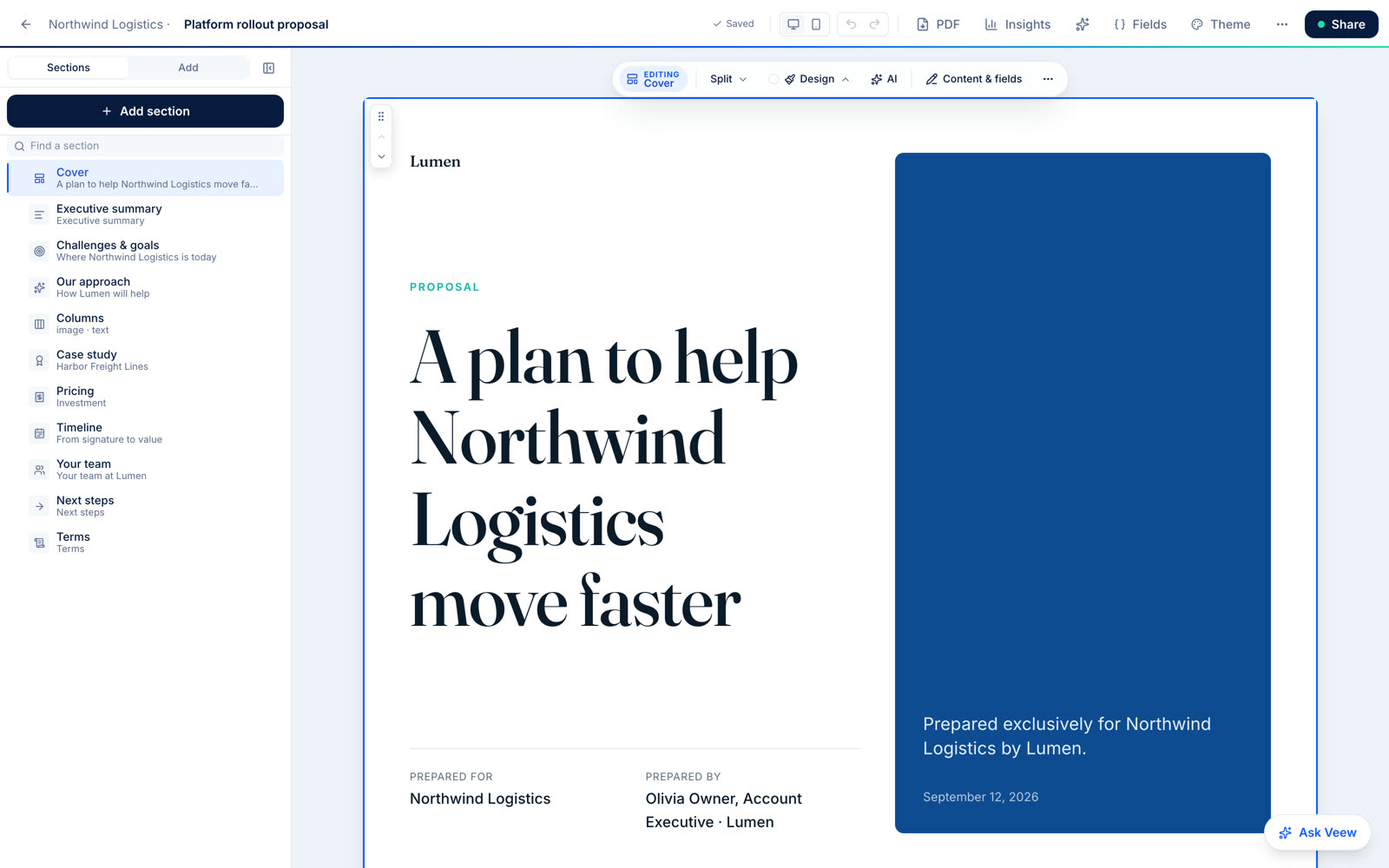
- Review in Veew. Open the link it gives you. Each section the AI wrote is marked for review; check it, adjust anything, and choose Share, then Go live when it's right.
Prompts that work with a connected proposal tool
With a connector, prompts get shorter. You aren't describing the document anymore, because the template does that. You're handing over context and intent.
The last one is the underrated use. Engagement data is most useful at the moment you're planning a follow-up, and that's often in the same conversation where you're drafting the email. For what each signal means, see how to track proposal engagement.
What to check before you connect an AI assistant to your sales stack
Whatever tool you connect, ask these five questions first. They separate a useful connector from a liability.
- Can it send or publish on its own? An assistant that can put a document in front of a buyer without a person looking is one misread instruction away from an embarrassing email. Drafts-only is the safe default.
- How does it sign in? OAuth with a consent screen beats a pasted API key: you can see what you granted, and revoking it doesn't mean rotating a secret.
- Whose permissions does it use? It should act as the person who connected it, seeing only what they can see, not as an all-access service account.
- What does it keep? Knowing which tool ran and when is reasonable. Storing your conversations and call notes somewhere new is not.
- Where do the facts come from? If the assistant writes the copy, every claim needs checking. If the tool writes from approved proof, the checking gets much lighter.
Veew's answers are drafts only, OAuth sign-in, the connecting person's own permissions, a log of tool calls with no content, and a drafter that cites only proof you approved. The connector is part of the Team plan; see pricing.
Where this is heading
The work of a proposal was never really the writing. It's gathering what the buyer said, matching it to what you sell, and making it credible. Assistants are getting very good at the first part. The systems that already hold your pricing, your proof, and your brand are good at the rest. MCP is the handshake between them, and the reps who set it up now will stop rebuilding proposals from scratch.
If your call notes already live in a notetaker, start there: from call notes to proposal covers Fathom, Fireflies, Read AI, and Granola. Or connect Veew to your assistant and ask for the next proposal instead of writing it.